Workspaces and brand context
A workspace groups related conversations inside one organisation. It also holds the brand identity and context hollie uses when drafting and running those conversations.
Workspaces do not have separate members, plans, or credit balances. Those belong to the organisation that contains them.
Choose a workspace boundary
Use another workspace when the brand, product, offer, or audience needs meaningfully different context. Keep related campaigns together rather than creating a workspace for every conversation.
Use another organisation instead when the work needs separate members, ownership, billing, or credits.
Maintain the brand context
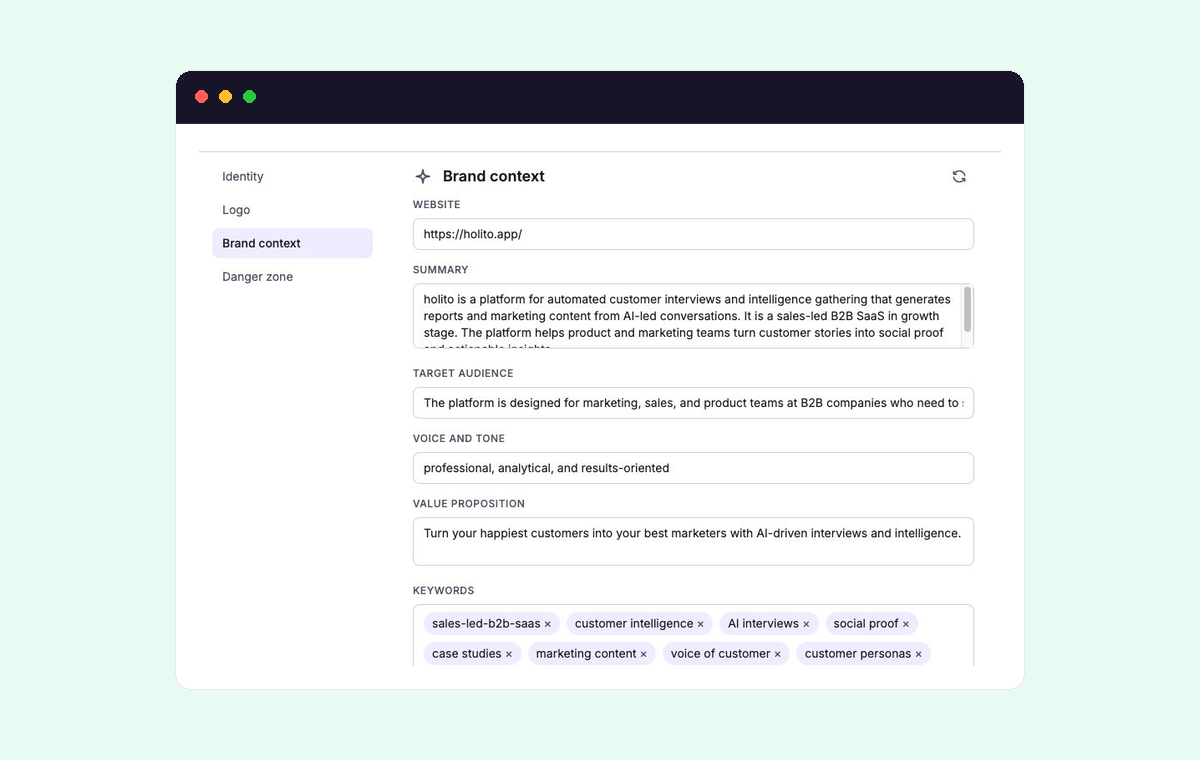
Open Workspace settings and use Brand context to maintain:
- Website
- Summary
- Target audience
- Voice and tone
- Value proposition
- Keywords
Use concrete language that distinguishes this workspace from the others in the organisation. Brand context should describe the business and audience, not tell participants what answers to give.
Changes save automatically. If the website has changed substantially, Re-research can rebuild the context from it.
Review the result before continuing. Re-researching can replace context you changed by hand.
Understand where changes apply
The active workspace provides context when you draft a new conversation. A conversation stays attached to its workspace, and hollie uses the workspace’s current context when a participant starts it.
Review significant context changes before continuing outreach for a live conversation. A broad change to audience, voice, or value proposition can affect more than the next draft.
Workspace logos and icons provide identity within holito and participant-facing branding. Organisation identity is managed separately under Settings > Organization.
For the recommended first-time setup, follow Set up your workspace.