Check your plan and feature access
A plan belongs to an organisation and applies across all of its workspaces. Switching workspaces does not change it; switching organisations can.
Check the current plan
The organisation account area shows its current plan. Owners and admins can open Billing to compare the live features, allowances, prices, and billing intervals available to that organisation.
Recognise feature availability
When a feature is not included in the active organisation’s plan, holito shows an Upgrade badge or message beside it.
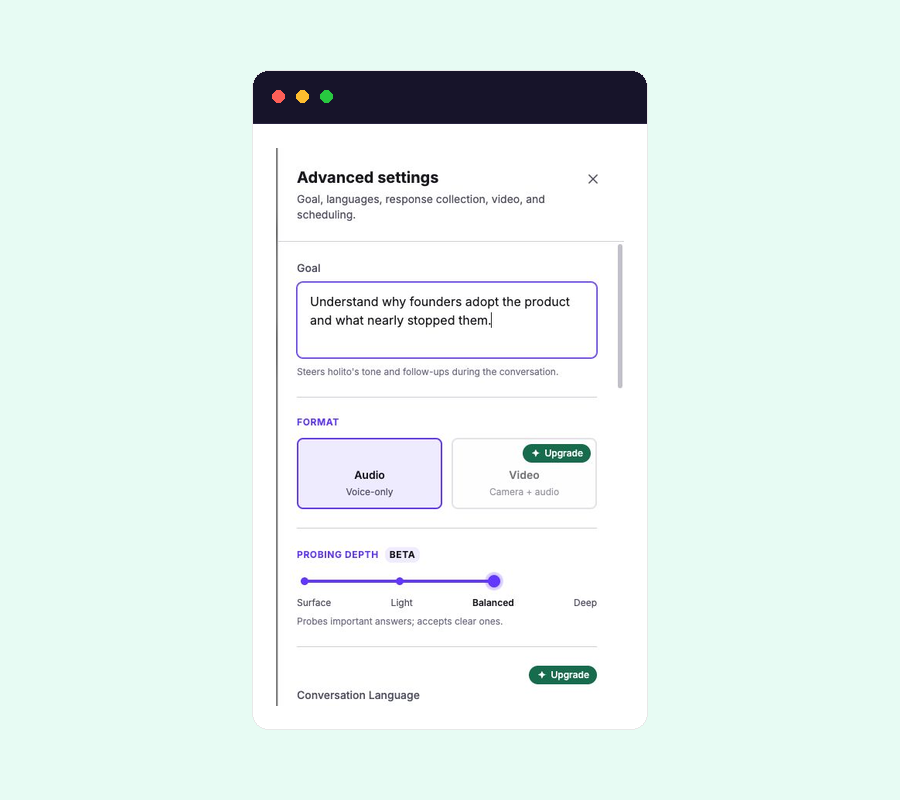
Use the live Billing page for current prices and allowances. Use the Upgrade message beside a feature to check whether your active organisation can use it.
Only owners and admins can manage billing. If Billing is unavailable, ask one of them to check the feature or change the plan. Before confirming a purchase, verify the organisation name, billing interval, amount, allowances, and effective date shown in the live flow.
See Credits and usage for the separate usage allowance shown on an organisation.