Manage your organisation
An organisation is the top-level home for your team in holito. It contains the organisation’s members, plan, credits, connections, and workspaces.
Workspaces sit inside an organisation. They group conversations and carry their own brand context. Changing organisation settings does not update a workspace’s brand context.
Check the active organisation
The organisation name appears in the account area at the bottom of the navigation. Check it before changing team access or billing, especially if you belong to more than one organisation.
Use Switch organisations when you need to work in a different organisation. Switching a workspace is not the same action.
Update the organisation identity
Owners and admins can update organisation details. Other members can view them without changing them.
- Open Settings.
- Select Organization.
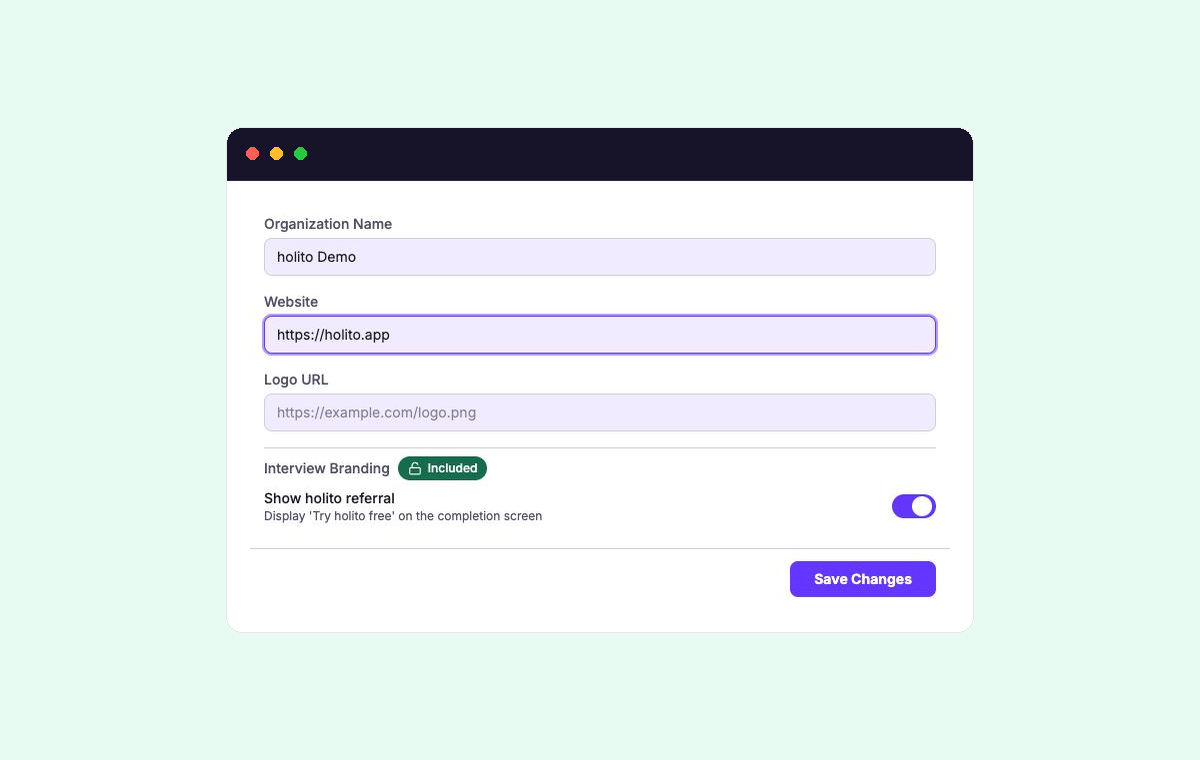
- Update Organization Name, Website, or Logo URL.
- Select Save Changes.
These details identify the organisation in holito. To change the context or branding hollie uses for conversations, edit the relevant workspace instead.
Manage the organisation’s responsibilities
Organisation-level settings apply across every workspace inside it:
- Manage access through Organisation members and seats.
- Check the current commercial options in Plans and feature availability.
- Check the organisation’s allowance in Credits and usage.
- Manage each brand or product area through Workspaces and brand context.