Share and invite people
Once your conversation is ready, you can send its link yourself, let holito invite a known audience, or place it on your website.
Choose how people will join
Open the conversation and select Invite people.
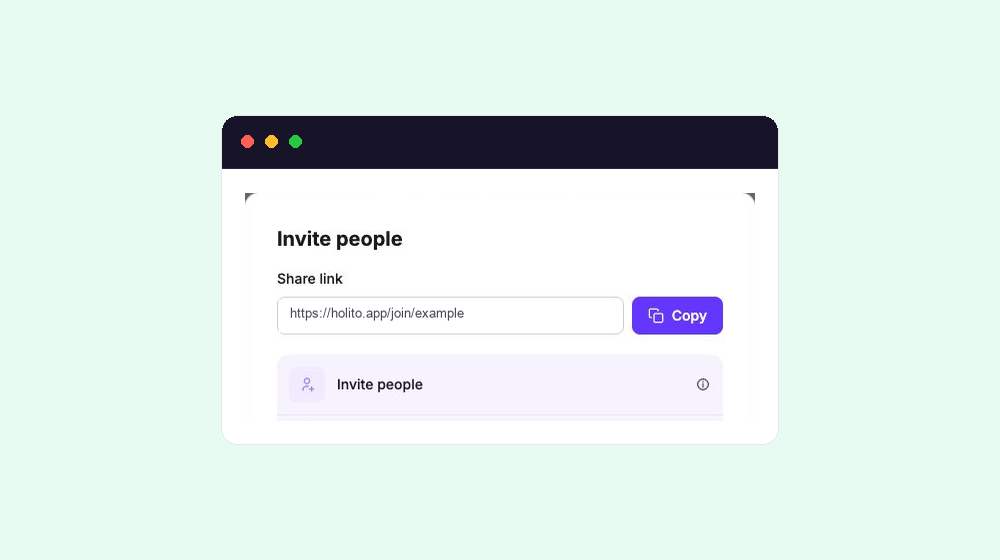
Choose the route that matches the audience:
- Share link is best when you want to distribute the conversation yourself, such as in an email, community post, support message, or social post. Anyone who receives the link can use it, so avoid posting it publicly when the conversation is intended for a selected group.
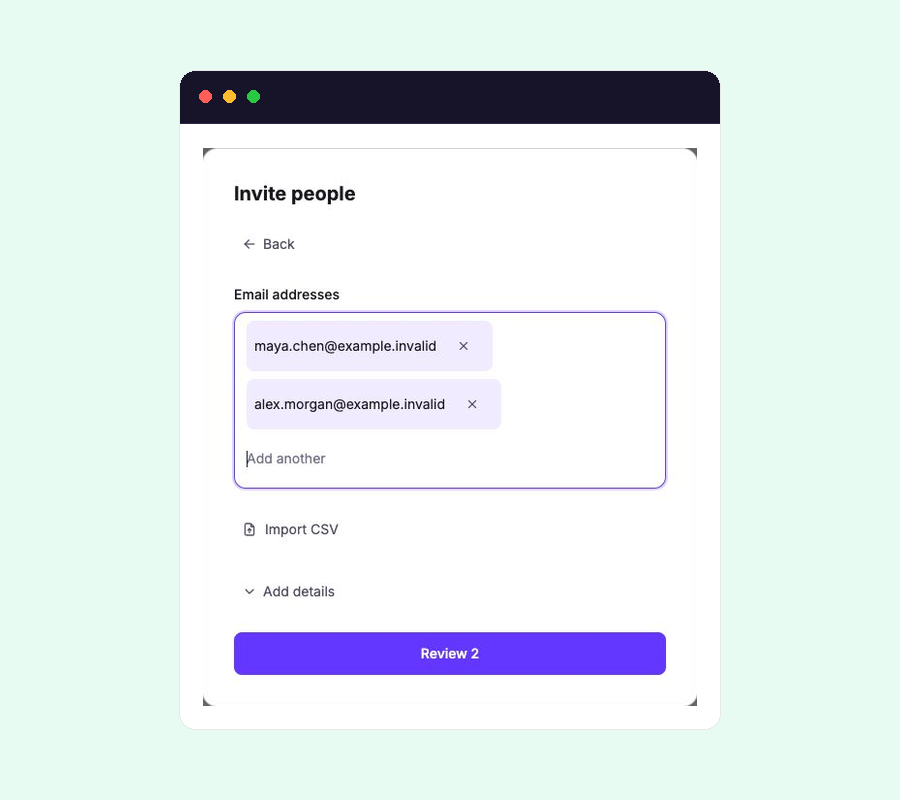
- Invite people is best for a known audience when you want holito to send invitations, follow up, and track each person’s progress. See Automate outreach and invitations for the full workflow.
- Embed on your site is best when people should meet hollie at a relevant moment on your website or in your product. See Embed holito on your website for setup and domain controls.
You can use more than one route for the same conversation. Keep the purpose and audience consistent so the responses remain useful together.
Anyone who receives the link can respond. Use invitations when access and progress need to be tied to named people.
Give people a reason to respond
The invitation should answer four things before someone opens the conversation:
- Why you want to hear from them.
- What you will do with their response.
- Roughly how long the conversation should take.
- When you would like them to respond.
Keep one clear invitation instead of explaining every question in advance. For example:
Hi [Name], we’d love to learn what worked well during your first month with [Product]. Your response will help us improve onboarding, and the conversation should take about [time]. Please share your experience by [date]: [conversation link]
If you plan to publish quotes, recordings, or other material from responses, make that purpose clear before inviting people.
Prepare people for the handoff
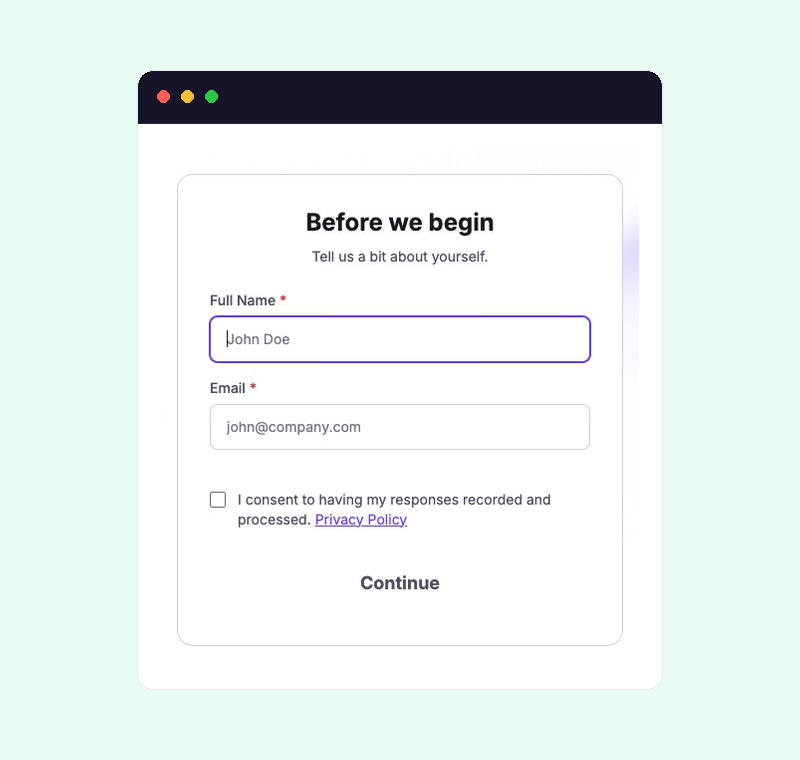
When someone opens the conversation, holito asks for their name, email address, and recording consent before they continue. Your invitation still needs to explain the purpose in plain language; this form confirms their details and consent rather than replacing that context.
Choose the right moment
Ask while the experience is still fresh, such as after onboarding, a completed project, or a resolved support request. For a named audience, use an automation sequence when reminders should stop automatically as each person responds.