Remix a recipe
Remix a recipe when its purpose is useful but you need a repeatable change to the audience, structure, tone, or evidence rules. The remix becomes your own recipe. The source remains unchanged.
Create the remix
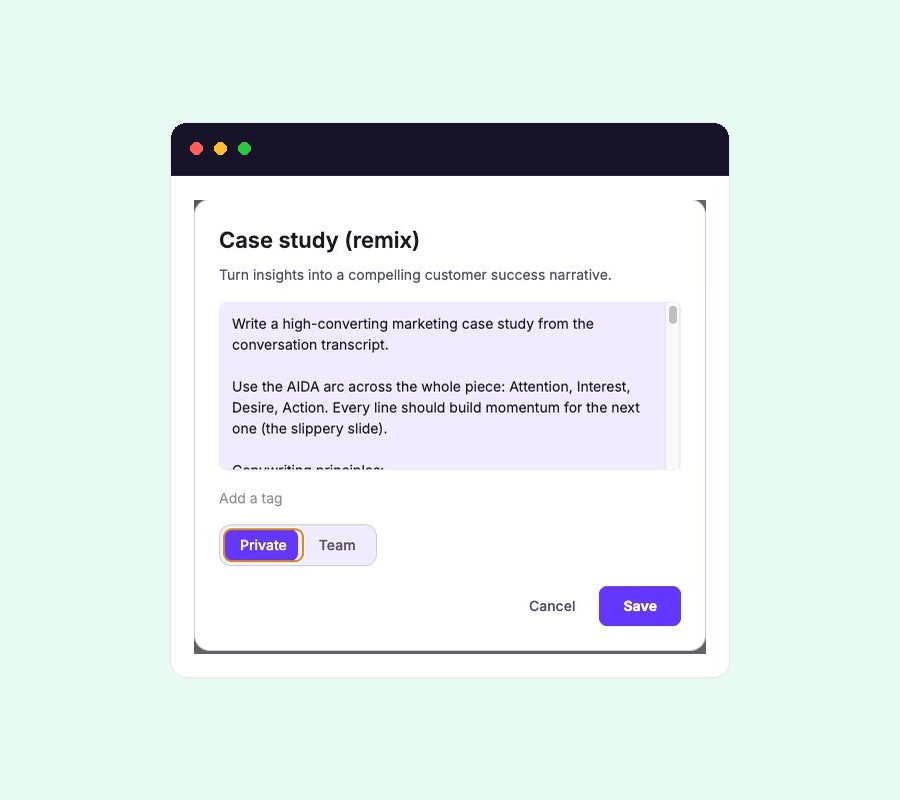
- Open the recipe from Create and select Remix.
- Rename the copy so teammates can distinguish its intended result from the source.
- Change the description if the new version serves a different purpose.
- Edit the prompt to describe the new output and remove any inherited instruction that conflicts with it.
- Save the recipe as Private, or choose Team when it is ready for others in the organisation.
A remix starts as Private. It appears with your recipes and can be edited or removed by you. Changes to the remix do not affect the original recipe or another teammate’s copy.
Change the instruction, not just the name
The name and description help people choose a recipe. The prompt controls the generated result. Update the prompt when you need a different:
- Audience or intended use.
- Order and structure.
- Level of detail.
- Rule for handling quotes, claims, missing evidence, or confidential material.
Keep useful constraints from the source. Remove instructions that only made sense for the original output, especially when they compete with your new purpose.
Test before sharing
Run the remix on a representative completed response. Compare the result with the transcript and note any correction you would have to repeat on other outputs.
Edit the recipe until those repeated corrections are part of its instruction. Change its visibility to Team only when the name, purpose, and result are clear enough for another member to use without extra explanation.
See Recipe best practices for a compact structure for reliable recipe instructions.