Participants and invitation status
The People list brings automated participants and direct respondents together. Invitation progress describes what happened to outreach. Response outcome describes what happened after someone opened the conversation.
These are related but not interchangeable. For example, Delivery issue is an email problem, while Low Quality describes the resulting conversation.
Follow invitation progress
These states belong to people added to an automation sequence:
| Status | Meaning | What to do |
|---|---|---|
| Added | The person has entered the sequence, but the first email has not been sent successfully yet. | Wait for the next scheduled step unless the sequence is paused. |
| Invited | The first email was sent successfully. | Let the planned reminders run or review Messages before following up yourself. |
| Started | The person used their invitation and began a response. | Avoid separate reminders unless the relationship needs personal follow-up. |
| Completed | The invited person completed the linked conversation. | Review the response and generated report. |
| Paused | This person’s sequence is being held manually. | Select Resume when automated outreach should continue. |
| Unsubscribed | The person asked to receive no more sequence email. | Do not resume or re-add them to the same outreach. |
| Delivery issue | The email could not be delivered, such as when an address is invalid or the receiving service rejects it. | Verify the address and use another contact route or invite a corrected address. |
Paused and Unsubscribed take priority over the person’s earlier progress. Pausing preserves their position. Unsubscribing prevents further sequence email.
Read response outcomes
Response outcomes appear for people who reached the conversation through a share link, embed, or invitation:
| Status | Meaning | What to do |
|---|---|---|
| Pending | A response exists but the conversation has not begun. | Allow the participant to start or invite them again if appropriate. |
| In Progress | The conversation started but has not reached a completed ending. | Give the participant time to continue. |
| Completed | The conversation reached its normal ending and is ready for review. | Review the transcript and generated report. |
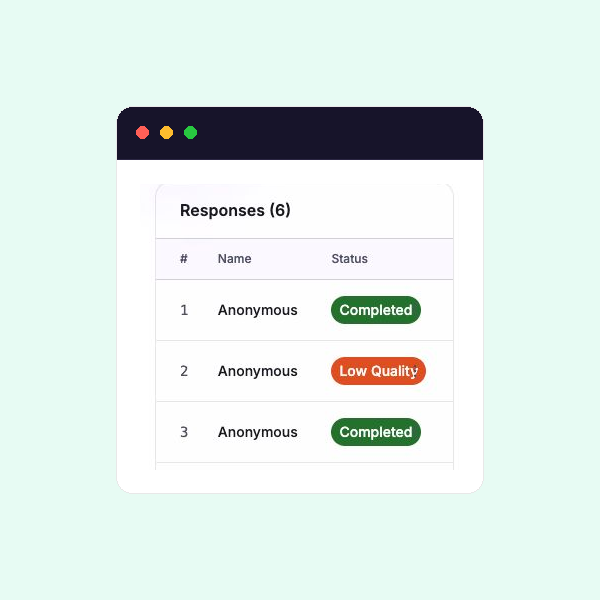
| Low Quality | The conversation ended before enough back-and-forth was collected to count as Completed. | Review what was captured, then invite a new response if more detail is needed. |
| Abandoned | The conversation started, then remained inactive without reaching its ending. | Invite the person to begin a new response if their input is still needed. |
| No Credits | The conversation could not start because the organisation had no credits available. | Ask an organisation owner to make credits available, then ask the person to try again. |
Invitation Completed means an automated participant reached a completed response. Response Completed describes the collected conversation itself.
Open a person’s history
Select the person’s actions, then View details. For an automated participant, the details show their next step and Messages history. Select Open conversation when a response is linked and you need its recording, transcript, or generated output.
Direct respondents do not have an automation message history. Their source is shown as Direct.
Removal permanently deletes that participant’s automation and message history. It does not delete a linked response.
See Automation sequences for sequence behaviour and Responses and transcripts for reviewing collected evidence.