Create content
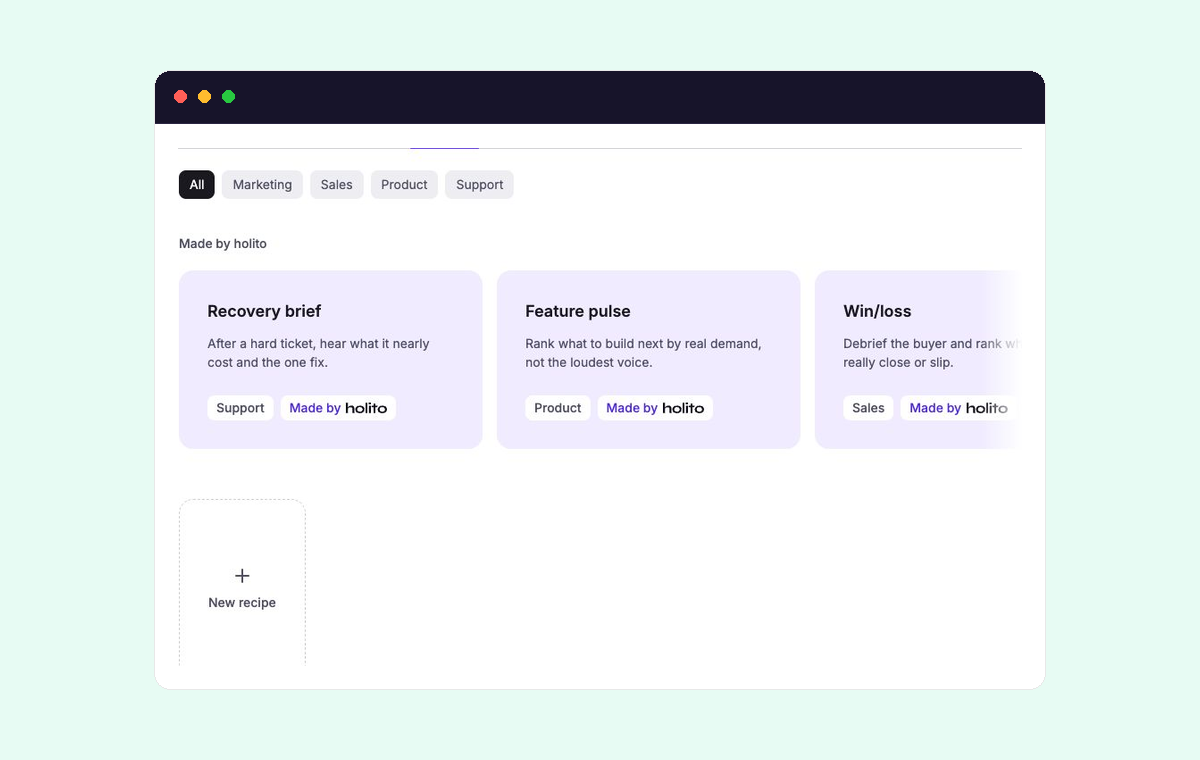
Create is where holito turns one completed response into content you can use. The response supplies the evidence. A recipe defines the purpose, audience, and shape of the output.
Start with the output
Choose a recipe by the job the finished content needs to do, not by its name alone. Decide:
- Who will use or read it.
- What they should understand or do next.
- Whether they need a concise summary, a narrative, or a more detailed working document.
Open the recipe to read its description and prompt before generating. If it is close but not quite right, remix the recipe rather than repeatedly correcting the result elsewhere.
Keep the response as the source
A recipe runs against the response you opened. Use a completed response with enough participant detail to support the output you want.
Add the participant’s name, role, and company when correct attribution matters. holito can still create content without every detail, but you must not infer missing identity or business facts from the draft.
Create and review the result
- Open a completed response and select Create.
- Open a recipe and check its prompt against your intended use.
- Select Generate.
- Review the result against the recording or transcript.
- Select Copy when the content is ready for further editing or approval.
The generated result is a draft. Verify quotations, names, figures, outcomes, and conclusions before sharing it. A polished sentence is not evidence that the participant said it.
Work with recipes
- Use holito recipes for a ready-made starting point.
- Remix a recipe when the purpose is right but your audience, structure, or rules differ.
- Create your own recipe for an output your team produces repeatedly.
- Improve a recipe when results are inconsistent or require the same corrections each time.