Create your first conversation
A strong first conversation starts with one clear outcome. holito can draft the flow for you, then you can shape it around the evidence, stories, or decisions you need.
Decide what you need to learn
Choose one primary outcome before you start. A focused conversation gives hollie room to follow interesting answers without drifting away from the purpose.
Useful goals describe the audience, the context, and what you want to understand. For example:
- Learn why recent customers chose your product and what nearly stopped them.
- Capture a customer’s experience before and after adopting your service.
- Understand where new customers struggle during their first week.
Avoid combining unrelated goals. If the answers would serve different teams or decisions, create separate conversations.
Draft the conversation
- Start a new conversation in the workspace whose brand context should guide the draft.
- Under What kind of conversation?, describe the desired outcome in Ask holito. Include who hollie will speak with, what you need to learn, and any important context.
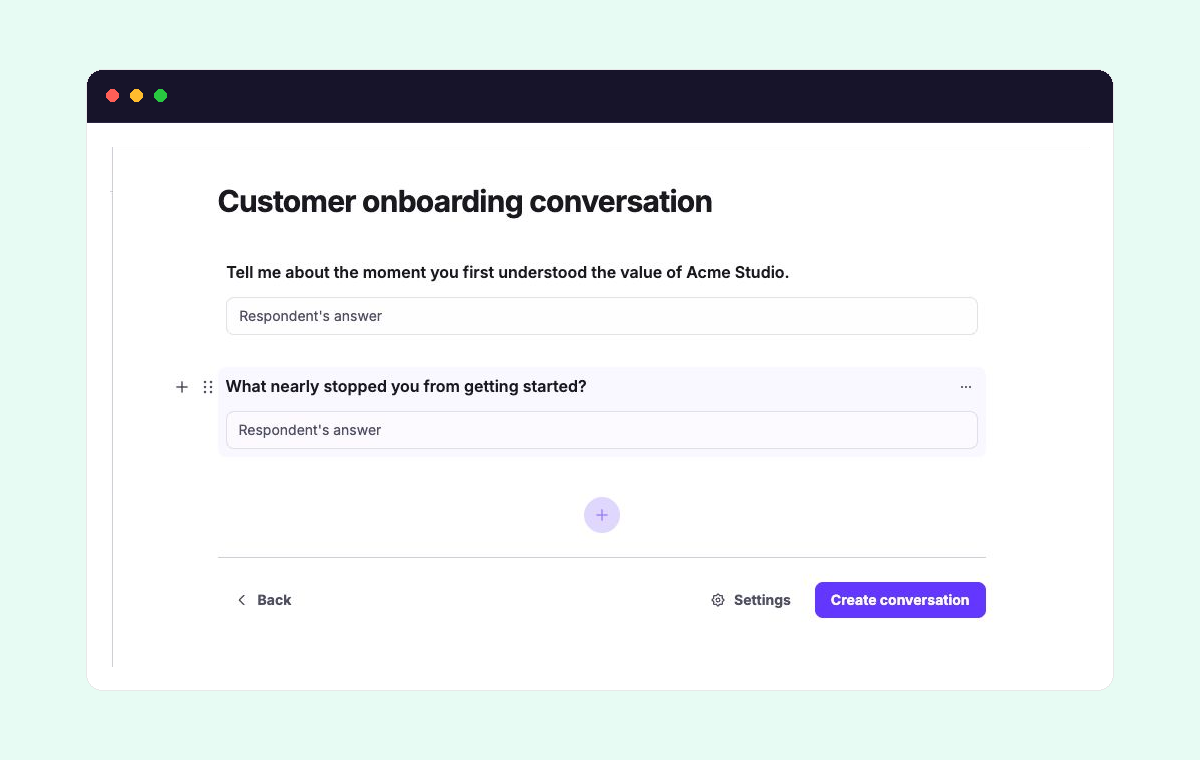
- Review the draft as a conversation rather than a questionnaire. Each part should move naturally towards the outcome while leaving hollie space to explore useful details.
For example: “Speak with customers who recently upgraded. Learn what triggered the decision, what alternatives they considered, and what value they have noticed since.”
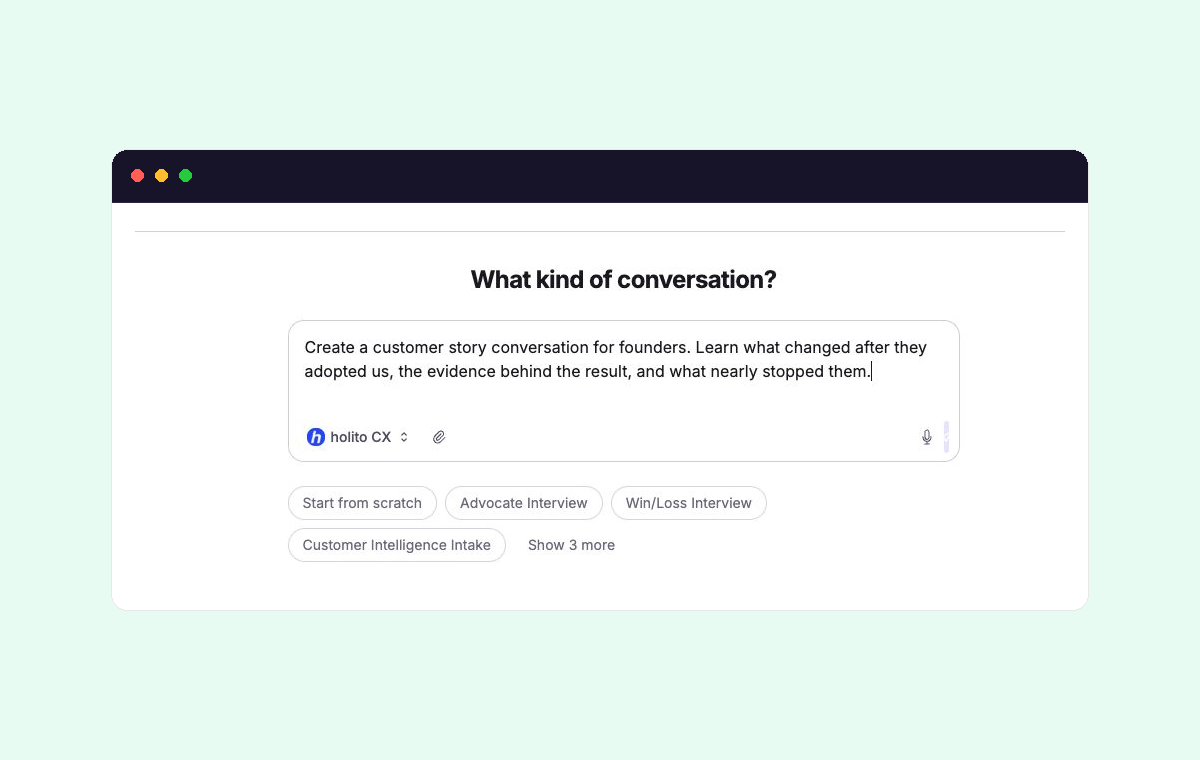
You can also select Start from scratch and build the flow yourself.
See Conversation Builder for how drafts are created and edited.
Refine the flow
Use the generated draft as a starting point. Remove repetition, put necessary context before the question it supports, and keep the sequence short enough to respect the participant’s time.
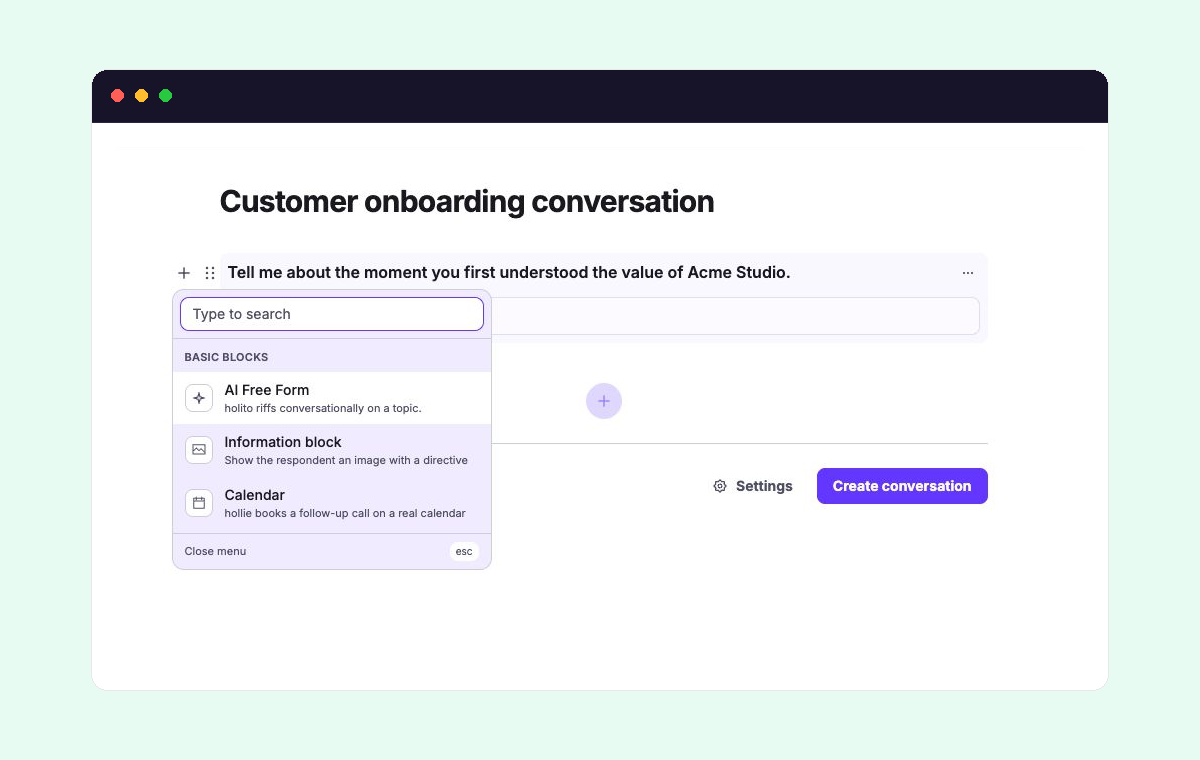
Drag blocks into the order that makes the conversation easiest to follow. Add another block only when it has a clear job:
- AI Free Form gives hollie a topic to explore through natural follow-up questions.
- An Information block lets hollie show supporting context at the relevant moment.
- A Calendar block offers a follow-up meeting as part of the flow.
Read the sequence from the participant’s perspective. Remove blocks that ask for the same information twice or do not contribute to the main outcome.
Choose the settings that matter
Open Settings only for choices that change the participant experience or the evidence you collect. For a first conversation, check:
- Goal, so hollie’s tone and follow-ups stay aligned with the outcome.
- When to collect identity, based on when asking for details will feel most appropriate.
- When call ends, so the participant receives the right final message or destination.
The defaults cover most other cases. See Conversation settings when you need response limits, scheduling, probing depth, or another specific option.
Preview before sharing
Create the conversation, then open its participant link before inviting anyone. Check that the opening sets the right expectation, the block order feels natural, and the final step matches what you promised.
Opening the introduction alone does not create a completed response. If you run through and complete the conversation as a participant, budget one credit for that test.
If the flow feels repetitive or asks for context too late, return to the builder and adjust it. Once it reads as one coherent conversation, continue to share and invite people.