Understanding Interview Reports
After every interview, holito automatically generates a report packed with insights. No manual analysis needed - you get themes, sentiment, key findings, and actionable takeaways within minutes.
Per-response reports
Every completed interview gets its own report, visible in the Overview section of the response page. Each report includes these sections, from top to bottom:
Summary - A concise one-paragraph overview of what was discussed and the key takeaways.
Sentiment Journey - How the respondent’s sentiment shifted throughout the conversation. Click any data point to jump to that moment in the transcript.
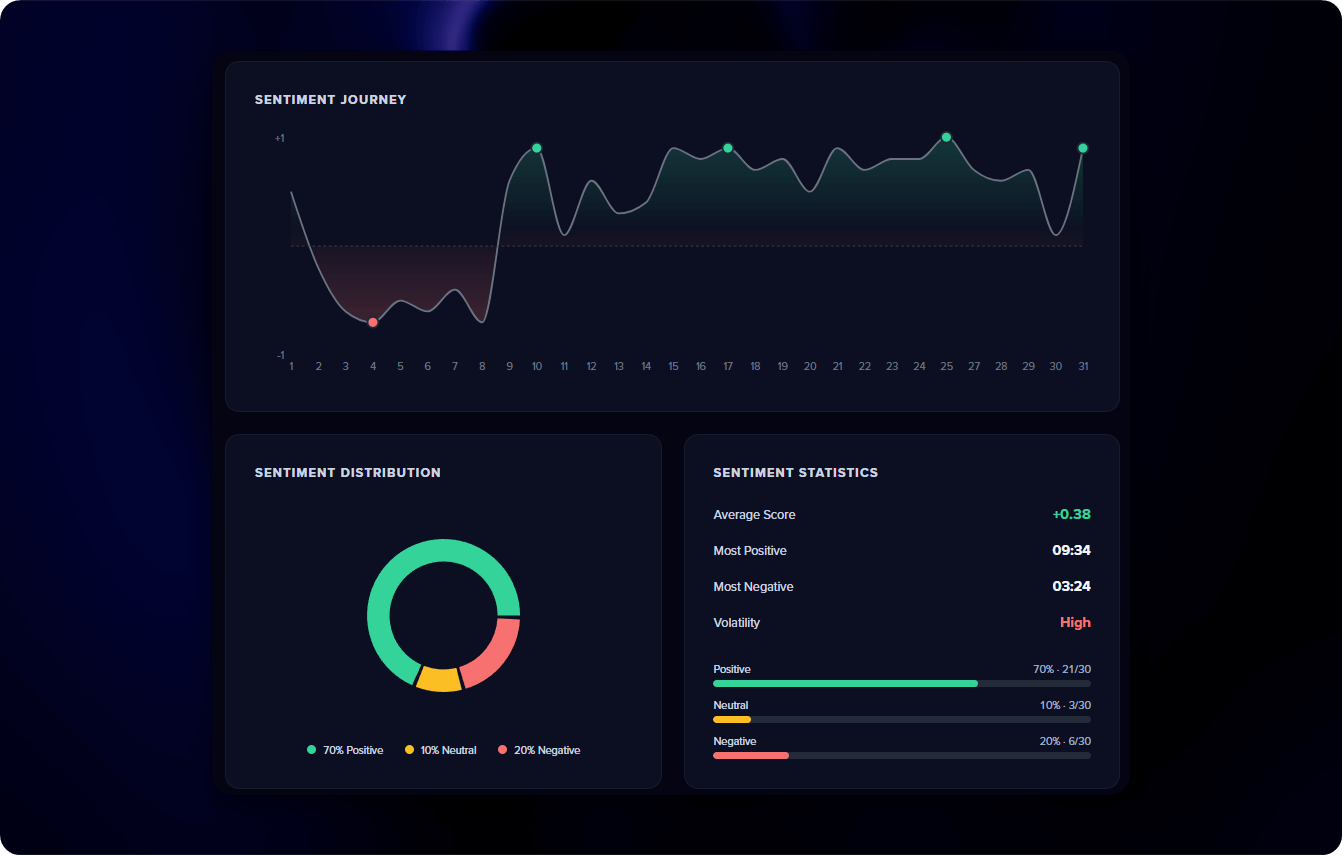
Sentiment Overview - A breakdown of the overall conversation tone: what percentage was positive, neutral, or negative.
Themes - The main topics discussed, ranked by prominence and highlighted by sentiment.
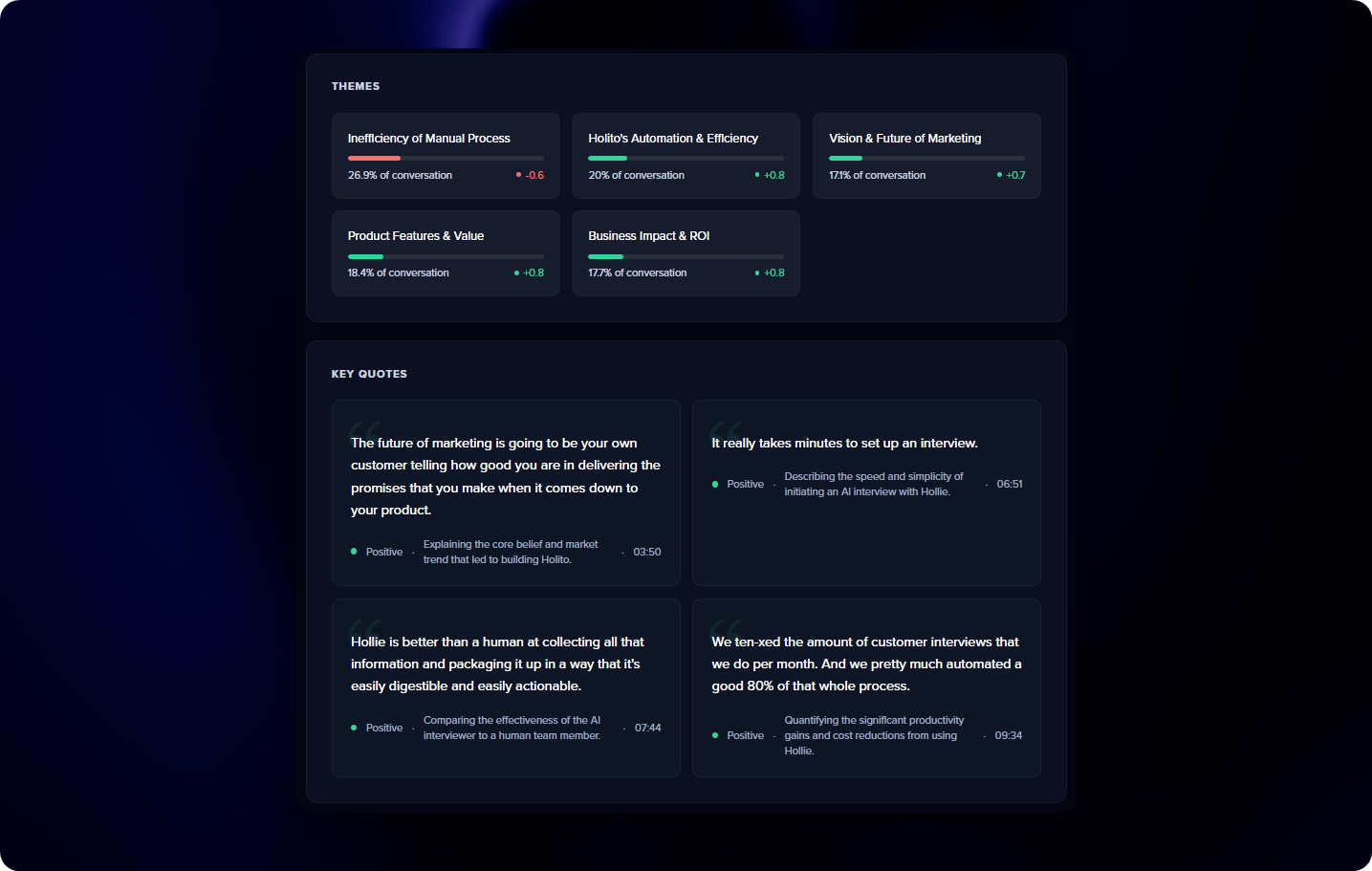
Quote Spotlight - The most insightful quotes, highlighted by sentiment. Click any quote to jump to that moment in the transcript.
Key Insights - Findings categorized as insights, pain points, opportunities, or data points.
Next Steps & Open Questions - Suggested actions based on the interview, plus questions worth exploring in future conversations.
Reports generate automatically in the background the moment an interview completes. By the time you open the response, the report is already there.
Campaign reports
Once you have 2 or more completed responses, select “All Responses” from the top and click Generate Report to combine insights across all interviews.
Campaign reports include everything from per-response reports, plus:
- Sentiment by respondent - A bar chart comparing each respondent’s overall sentiment side by side
- Theme frequency - Themes ranked by how many respondents mentioned them (e.g., “8 of 12 respondents”)
- Cross-respondent quotes - The best quotes from across all interviews, with respondent attribution
- Consistent findings - Insights that appeared repeatedly across multiple interviews, ranked by frequency
If new responses come in after generating a campaign report, you’ll be prompted to regenerate it to include the latest interviews.
Campaign reports find patterns across your conversations - grouping similar themes, highlighting the best quotes, and ranking findings by how often they came up. It’s real pattern recognition, not a simple summary.
Using your reports
- Product decisions - Use themes and key insights to identify what customers care about most. Pain points highlight what needs fixing. Action items give you a ready-made to-do list.
- Marketing - Pull verified quotes directly into your website, ads, or sales collateral. Use the Marketing section to generate full case studies or expert articles.
- Stakeholders - Share the summary and campaign report with your team or leadership. It’s the fastest way to communicate customer sentiment without reading transcripts.
You’ll receive an email notification when each response report is ready, with the summary included. Stay on top of incoming insights without checking the dashboard.