Creating Interviews
Creating an interview in holito takes a few minutes. The setup walks you through three steps: enter your URL, define your interview focus, and review your settings.
Step 1: Enter your URL
Click New Interview from your dashboard and paste the URL of your product or service. Click Research & Auto-Fill and holito does the rest - it reads your website and automatically builds your interview with suggested objectives and themes. One click, and your interview is ready to fine-tune.
If you’d rather set everything up yourself, click “or set up manually” to skip this step.
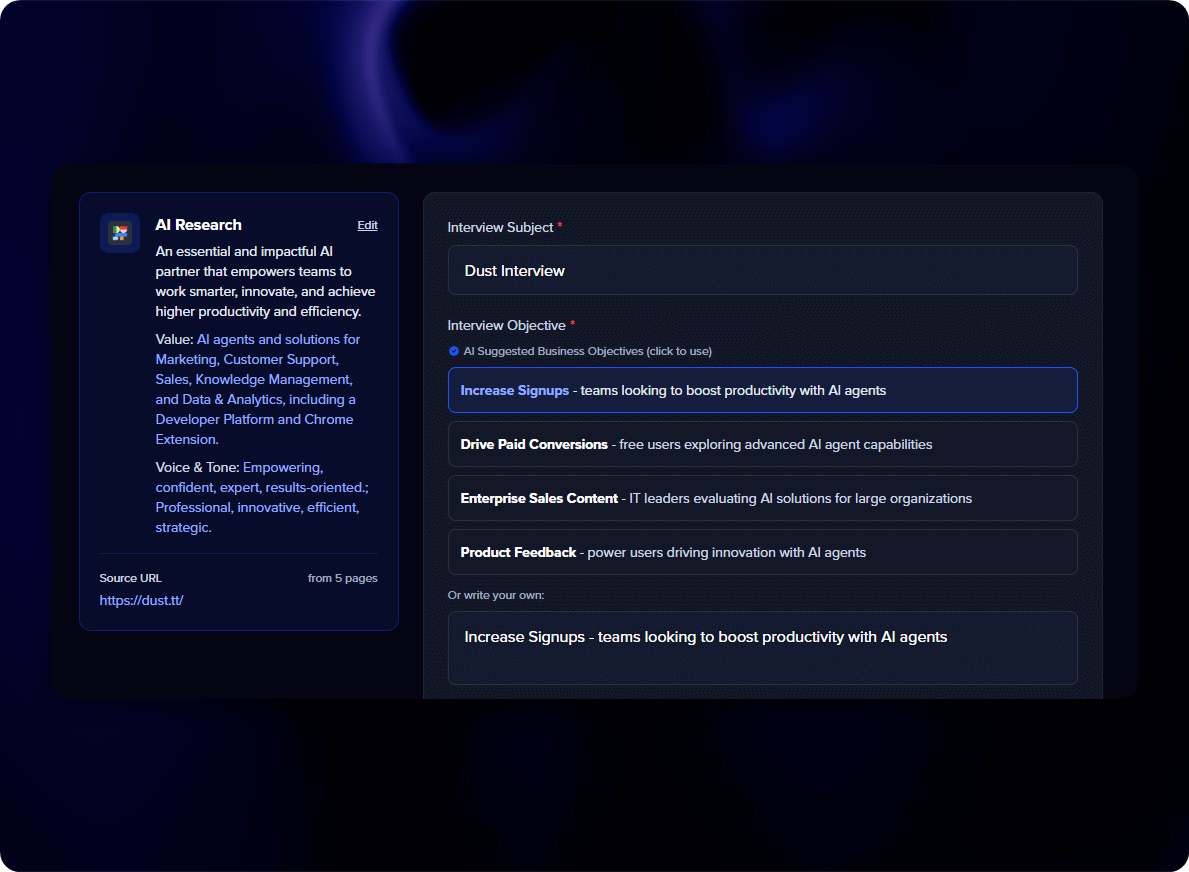
Step 2: Interview focus
This is where you define what the AI should talk about. If you ran the product research, your fields will already be filled in with suggestions.
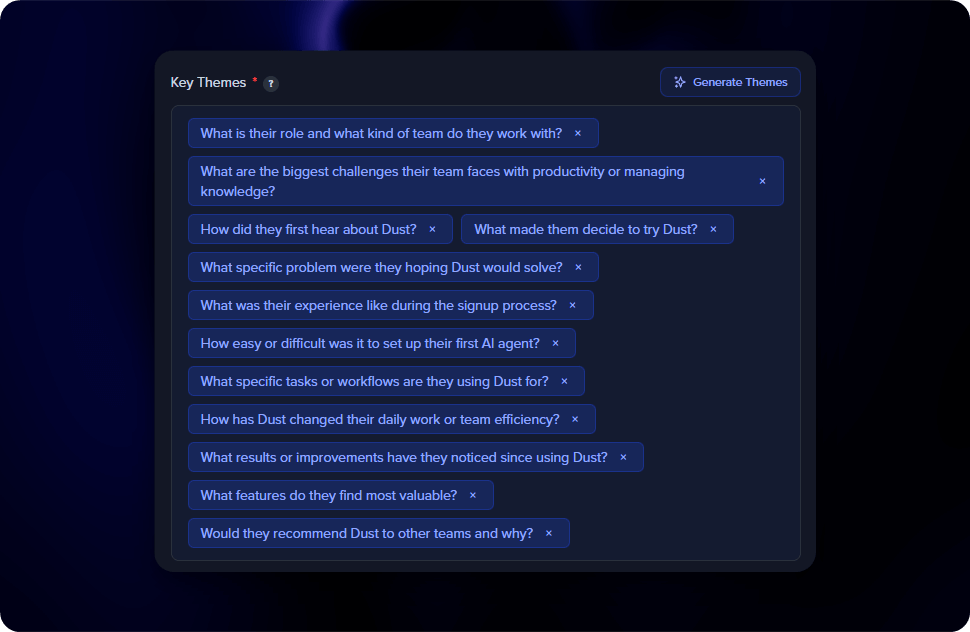
You’ll set three things:
- Interview Subject - The product, service, or topic being discussed. Filled in automatically if you ran the research.
- Interview Objective - What you want to learn. Pick an AI-suggested objective or write your own. Be specific - “Capture customer success stories for case studies” works much better than “Get feedback.”
- Key Themes - Topics the AI will naturally explore during the conversation (up to 12). Click Generate Themes for AI suggestions, or type your own.
The AI won’t force every theme into every interview. It adapts to what the respondent says, naturally exploring relevant themes as the conversation flows.
Step 3: Review and create
The final step lets you review your setup and make last adjustments.
Interview type - Choose between Audio (voice-only, the default) or Video (camera + audio recording for visual testimonials).
Advanced settings - Optionally configure response limits, required fields, language, and scheduling. The defaults work well for most interviews. See Advanced Settings for details on each option.
Click Create Interview and you’ll land on your new interview’s page with the sharing options ready to go.
All settings can be adjusted after creation, so there’s no need to get everything perfect upfront.